
Unusual Whales
Unusual WhalesFinance
4.787.00 Reviews
- Version
- 24.2.63
- Installs
- 50.00K
- Age Rating
- Everyone
Screenshots
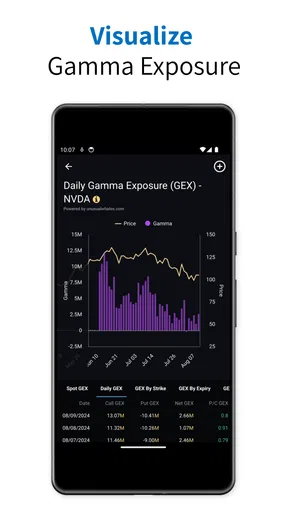
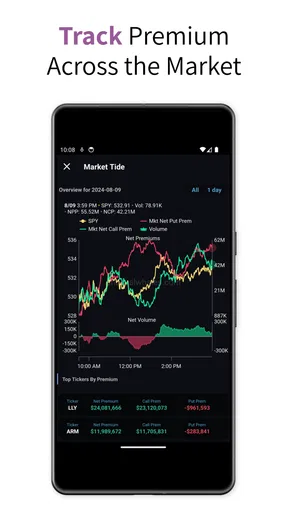
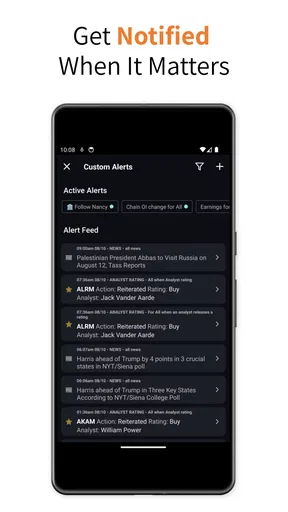
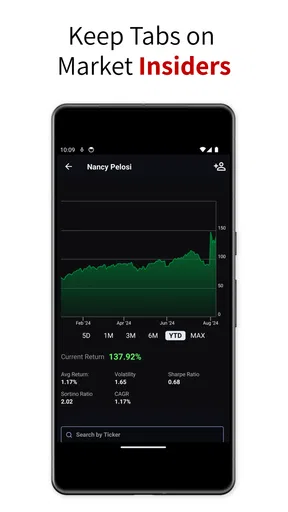
Our Review of Unusual Whales
 Analysis by Appyee
For me, the useful question in options trading is not simply whether a contract looks unusual, but what that activity can and cannot tell me. Unusual Whales is built around surfacing unusual options activity, making a busy corner of the financial markets easier to scan. That focus can help me decide what deserves a closer look, but it is not a shortcut to knowing why a trade was made or what a stock will do next.
Why options flow is useful—and easy to misread
Options flow is a view of trades in options contracts, which give buyers and sellers rights tied to an underlying stock. A burst of activity can attract attention because it may point to a position someone considers worth taking. The practical benefit of an app centered on this activity is focus: instead of trying to watch every ticker, I can use unusual flow as a prompt to investigate selected names.
The important word is “prompt.” An unusual trade is not automatically a bullish or bearish prediction, and a large-looking order does not reveal the trader’s whole position or plan. It may be part of a spread, a hedge, or another strategy that is hard to interpret from a single signal. I would treat the feed as a starting point for research, not as a buy or sell instruction.
This is where the app’s appeal is also its main learning challenge. It brings an options-specific signal into view, but interpreting it still requires patience with the underlying stock, the contract, and the broader market context. If I were new to options, I would first get comfortable with basic contract terms and the possibility of losing money before acting on a flow alert.
A calmer way to use the alerts
Alerts can be more useful when they narrow attention rather than demand it. I would choose a small set of stocks or activity types that matter to my research, then check the surrounding context when an alert arrives. That is more manageable than turning every available notification on and letting a stream of market noise interrupt the day.
One practical habit is to record what caught my eye, what I thought it might mean, and what later evidence changed that view. This does not make a signal more reliable, but it can expose whether I am repeatedly mistaking attention-grabbing activity for a sound thesis. It also turns the app into a research aid instead of a source of impulsive trades.
For example, if I have a quiet moment before work and notice an alert for a company I already follow, I can use it to check the stock’s news and my own reason for watching it. If the signal does not fit that context, I can set it aside. If it does prompt a deeper look, I can do that later rather than trying to make a rushed decision from a phone screen.
Navigating the Sea of Stock Options
First things first, let's talk about the interface. When I opened Unusual Whales for the first time, I was greeted with a clean, intuitive layout. The developers clearly put a lot of thought into making sure everything was easy to find. Whether you're a seasoned trader or a complete newbie, navigating through the app feels like a breeze. The app provides a comprehensive yet straightforward overview of options flow, which is a game-changer if you're looking to make smart trading moves.
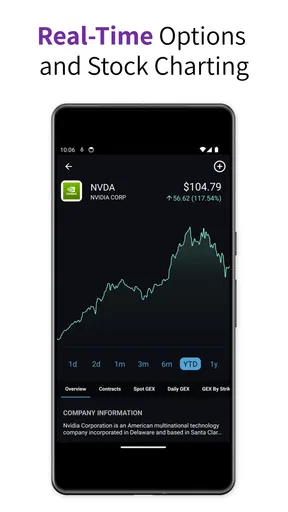
The app's dashboard is your command center. It’s packed with features like real-time data and unusual trading activities. And trust me, having all this information at your fingertips is a bit like having a crystal ball. You can see what the big players are up to and adjust your strategy accordingly. It's not just about investing; it's about investing smartly.
Features That Make Waves
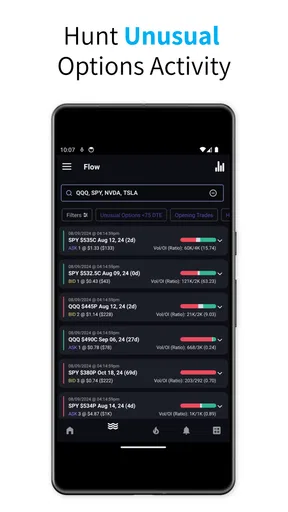
Let's dive deeper into what makes this app stand out. One of the key features is the options flow data. It's like having insider information without the legal drama. The app tracks and displays unusual options activities, giving you insights into what's happening behind the scenes. This feature alone is worth its weight in gold if you're serious about trading.
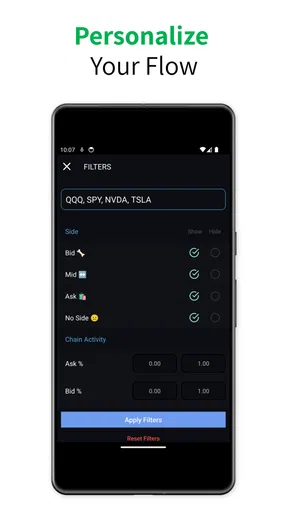
Another cool tool is the alerts system. You can set custom alerts for specific stocks or trading activities. This means you can keep tabs on your investments without being glued to your screen all day. The alerts are timely and precise, ensuring you never miss a beat. It's almost like having a personal assistant dedicated to your trading needs.
Learning the Ropes
While the app is packed with features, it doesn't leave beginners out in the cold. There are plenty of resources and tutorials available to help you understand the ins and outs of stock trading. The learning curve isn’t steep, and with a bit of exploration, you'll find yourself navigating the app like a pro in no time.
The community aspect is another huge plus. You can connect with other traders, exchange tips, and even get advice. It’s a supportive environment that fosters learning and growth. Plus, hearing different perspectives can provide valuable insights you might not have considered on your own.
Why Unusual Whales Might Be Your Next Download
So why should you download Unusual Whales? For starters, it’s an incredibly powerful tool for anyone interested in stock trading. The combination of real-time data, alerts, and a supportive community makes it a comprehensive package. Whether you're looking to get started or you're a seasoned trader, this app offers something for everyone.
Moreover, having access to unusual options activities and insider-like information gives you an edge that's tough to beat. It's like having a secret weapon in your trading arsenal. And let's be real, who doesn't want that?
In conclusion, if you're serious about taking your trading game to the next level, Unusual Whales is definitely worth checking out. It's user-friendly, packed with features, and backed by a community of like-minded individuals. Give it a try and see how it can transform your trading strategy. You might just find yourself riding the waves of success in no time!
How it fits alongside other finance apps
Compared with a standard brokerage app, which is usually where I check holdings, balances, and place orders, this app has a more specialized role: it helps me notice options activity to research. I would not use it as a replacement for a broker or for a company’s filings and news. Those tools answer different questions, and the flow signal is most useful when I can verify it against information that explains the business and the market conditions.
It also differs from a basic market-news app. Headlines can explain a catalyst, while options activity may show that contracts are drawing attention; neither tells the whole story by itself. A practical workflow is to use the alert to identify a question, then consult a trusted source for context and make any trade through the platform I already use. This separation helps prevent a notification from becoming an automatic order.
Who gets the most from it
I see the strongest fit for people who already follow individual stocks and want a more focused way to spot options activity worth reviewing. It can also suit an experienced investor who has a defined research routine and treats alerts as one input among several. The app is less compelling if I only want a simple long-term portfolio tracker, basic budgeting, or a hands-off investing experience; in those cases, a conventional finance app is likely to feel more direct.
Beginners can still explore it, but I would start with learning rather than trading. Before reacting to a contract, ask what the option allows its holder to do, when it expires, and how the underlying share price would need to move for the idea to work. If those questions feel unfamiliar, an educational resource and a watchlist are better first steps than copying activity seen in a feed.
There is also a temperament question. People who find rapid market updates stressful may prefer fewer notifications and a slower research routine. Options can move quickly, and trying to keep up with every unusual print can encourage overtrading. I would rather miss a signal than take a position I do not understand simply because an alert made it feel urgent.
Cost, access, and realistic expectations
The app is free to download, which makes it easy to explore its basic experience, while in-app purchases range from $9.99 to $999.99 per item. I would check the purchase details carefully before committing: a free download does not mean every tool or level of access is free. For someone still learning, I would first decide whether the flow view fits an actual research habit instead of paying for access in the hope that it will produce profitable trades.
It is rated for Everyone, but that age label should not be confused with a measure of financial risk. The app concerns markets and options, and the decisions made from its information can carry real consequences. I would keep the distinction clear, especially if a younger or inexperienced user is exploring it: suitability for general audiences does not make options trading simple or low-risk.
Unusual Whales is developed by Unusual Whales, has a 4.8 average from 439 ratings, and has passed 50,000 installs. Its current version is 24.2.44, and it was released on May 16, 2020; it requires Android 7.0 or later. Those details make it a fairly established option to try, though popularity cannot tell me whether its approach suits my own strategy.
Making the signal part of a routine
One useful way to avoid getting swept up in the feed is to decide in advance what would make an alert relevant. I might only investigate activity in a company I already understand, or only when I can explain why the contract caught my attention. That simple rule reduces the temptation to treat every unfamiliar ticker as an opportunity.
I would also separate watching from acting. An alert can go onto a research list without becoming a trade, and a trade idea can wait until I have checked the company, the option’s terms, and the downside I can tolerate. This is especially valuable on a busy day: the phone can flag something for later without forcing me to make a financial decision in a hurry.
The app’s central strength is not that it removes uncertainty; no options-flow tool can do that. It gives curious, active investors a way to notice unusual activity and organize follow-up research. I would recommend trying it if that specific task is missing from your routine, while keeping a broker, independent research, and a clear risk plan in the picture. If you want a quiet place to monitor savings or build a simple long-term portfolio, I would choose a less specialized finance app instead.
Verdict
Strengths of Unusual Whales
- Real-time market alerts enhance decision-making.
- User-friendly interface suitable for beginners.
- Comprehensive options flow data available.
- Customizable watchlists for tracking stocks.
- Educational resources for learning options trading.
Limitations of Unusual Whales
- Subscription cost may deter casual users.
- Limited to U.S. stock markets only.
- Occasional lag in data updates reported.
- Complex features may overwhelm new users.
- No dedicated mobile app, web-based only.
Similar Picks in This Category
View All
Google Wallet
Google LLC4.3

Airtel: Recharge, Bank & Loans
Airtel4.0

PayPal - Pay, Send, Save
PayPal Mobile4.2

DANA Indonesia Digital Wallet
PT Espay Debit Indonesia Koe4.5

Binance: Buy Bitcoin & Crypto
Binance Inc.4.8

Cash App
Block, Inc.4.7
Frequently Asked Questions
What is Unusual Whales and how does it work?
Unusual Whales is a financial analytics app designed to provide users with insights into options trading and market trends. It aggregates unusual trading activities, presenting them in an accessible format. Users can track large trades, gain insights on market sentiment, and make informed decisions based on real-time data. The app is particularly useful for traders looking to identify potential opportunities in the options market.
Is Unusual Whales suitable for beginner traders?
While Unusual Whales offers a wealth of information that can be incredibly beneficial, it is primarily geared towards those who have a fundamental understanding of options trading and market dynamics. Beginners can benefit from the educational resources available within the app, but may need additional learning to fully utilize its advanced features. It’s advisable for new traders to familiarize themselves with basic trading concepts before diving into this app.
What platforms is Unusual Whales available on?
Unusual Whales is available on both Android and iOS platforms, making it accessible to a wide range of users. The app can be downloaded from the Google Play Store for Android devices and the Apple App Store for iOS devices. It also offers a web version for those who prefer accessing insights from a desktop or laptop.
Are there any subscription fees associated with Unusual Whales?
Unusual Whales operates on a freemium model, where basic features are accessible at no cost, but advanced features require a subscription. The premium subscription provides access to deeper insights, additional analytics, and more comprehensive data sets. This tiered approach allows users to choose a plan that best fits their trading needs and expertise level.
How reliable is the data provided by Unusual Whales?
The data on Unusual Whales is sourced from reputable financial exchanges and aggregated to highlight unusual trading activities. While the platform strives to provide accurate and timely information, users should conduct their own research and consider multiple sources when making trading decisions. The app is a tool to aid in decision-making, not a guarantee of success.
